The product
A home build budget planner built for the real financial side of building.
Groundbase is a home construction budget tracker and funding planner for homeowners. Here is how it follows one build, from the first number to the finished mortgage, without a spreadsheet.
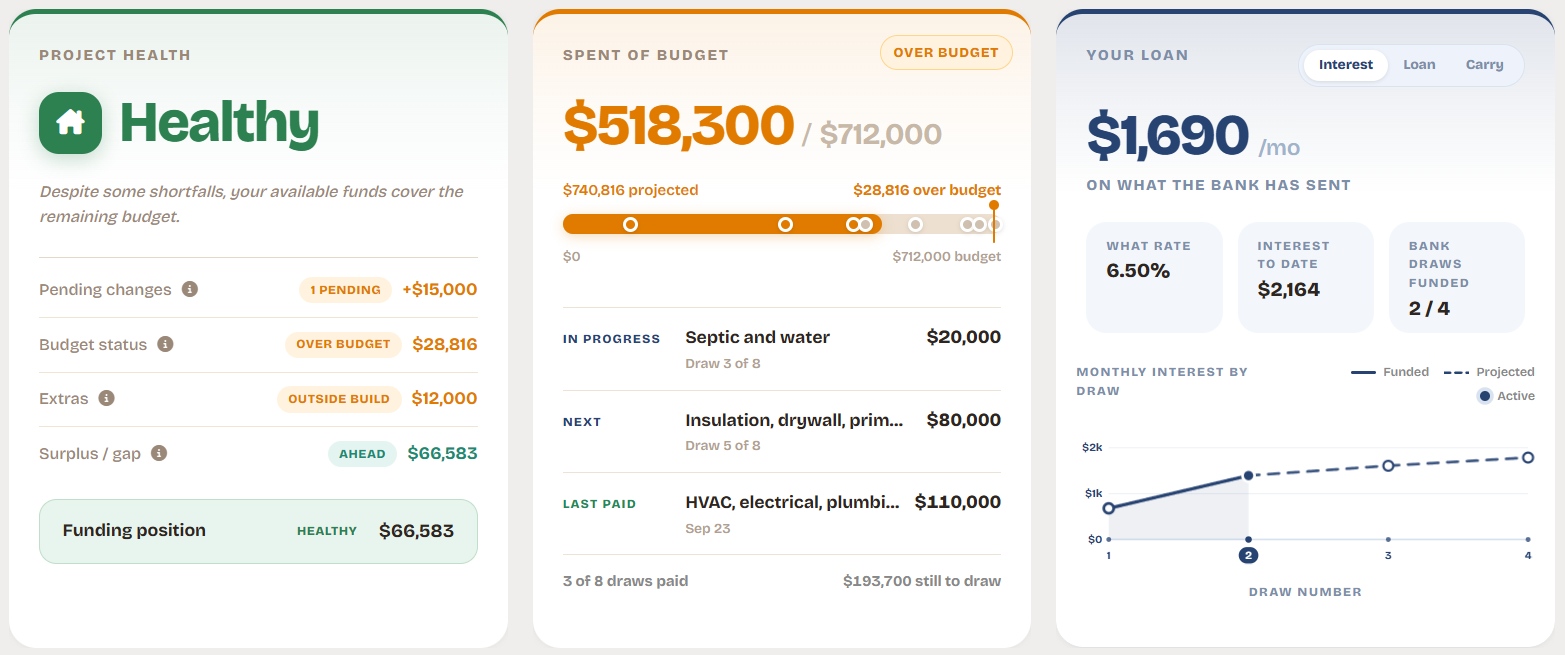
01 · Plan
A home construction budget that holds as costs change.
Start with categories, allowances and contingency. As real costs arrive, Groundbase keeps the projected total current, so you always know where the budget will land.
- Categories, allowances and a contingency line
- Actual costs against budget, line by line
- A projected total that includes approved changes
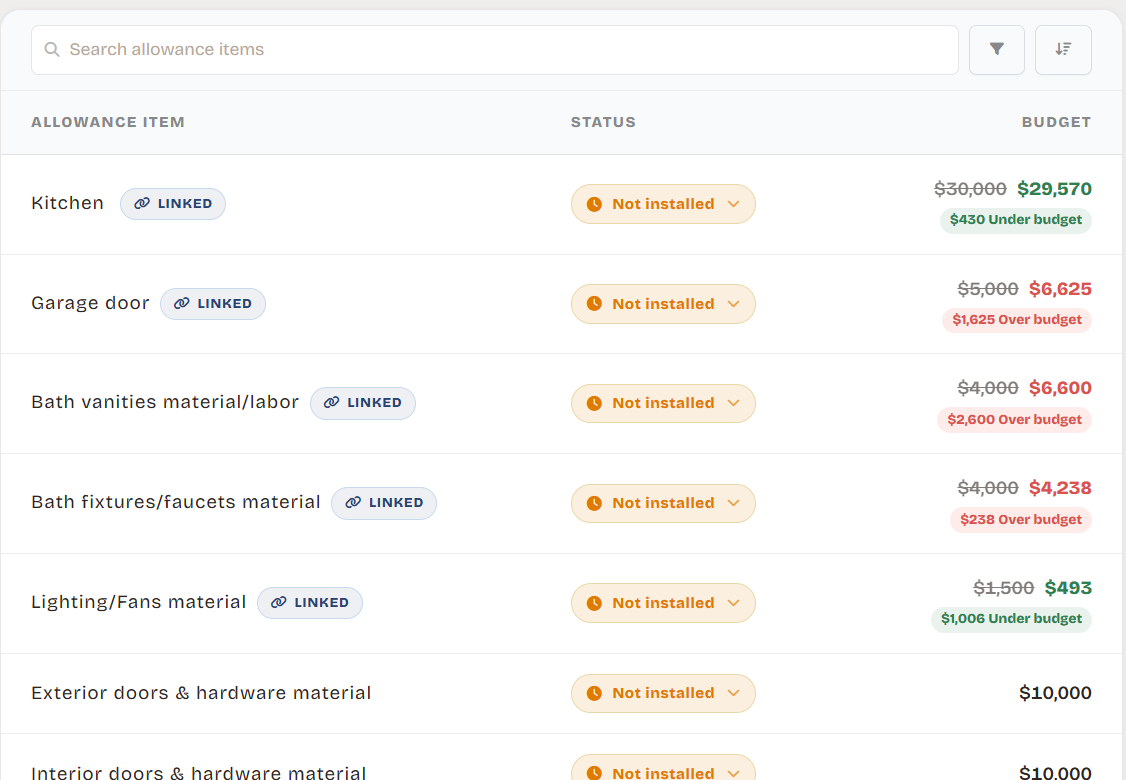
02 · Choose
Selections tracked against allowances, before they go over.
Every finish choice sits under its allowance with its price and who pays. You see an overage while there is still time to pick something else.
- Picks grouped by allowance, with price ranges
- Builder-paid versus out-of-pocket at a glance
- Extras outside the contract counted too
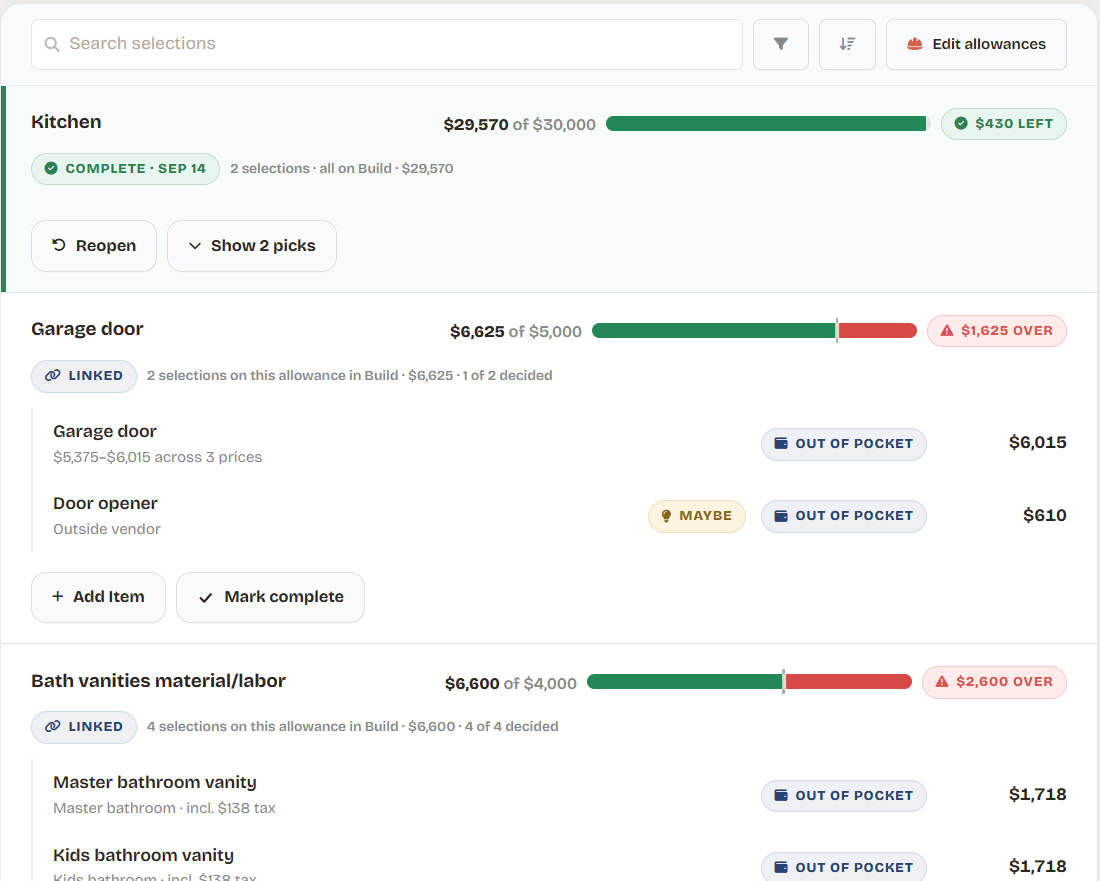
03 · Build
Every draw and change, tied to the budget.
Track the construction draw schedule and change orders in the same place as the budget. Approve a change and the projected cost moves with it. Contracts, receipts and photos attach to the line they belong to.
- Builder draws with what the bank and cash paid
- Pending and approved change orders
- Documents and photos on each draw, selection and change
- Progress from breaking ground to keys
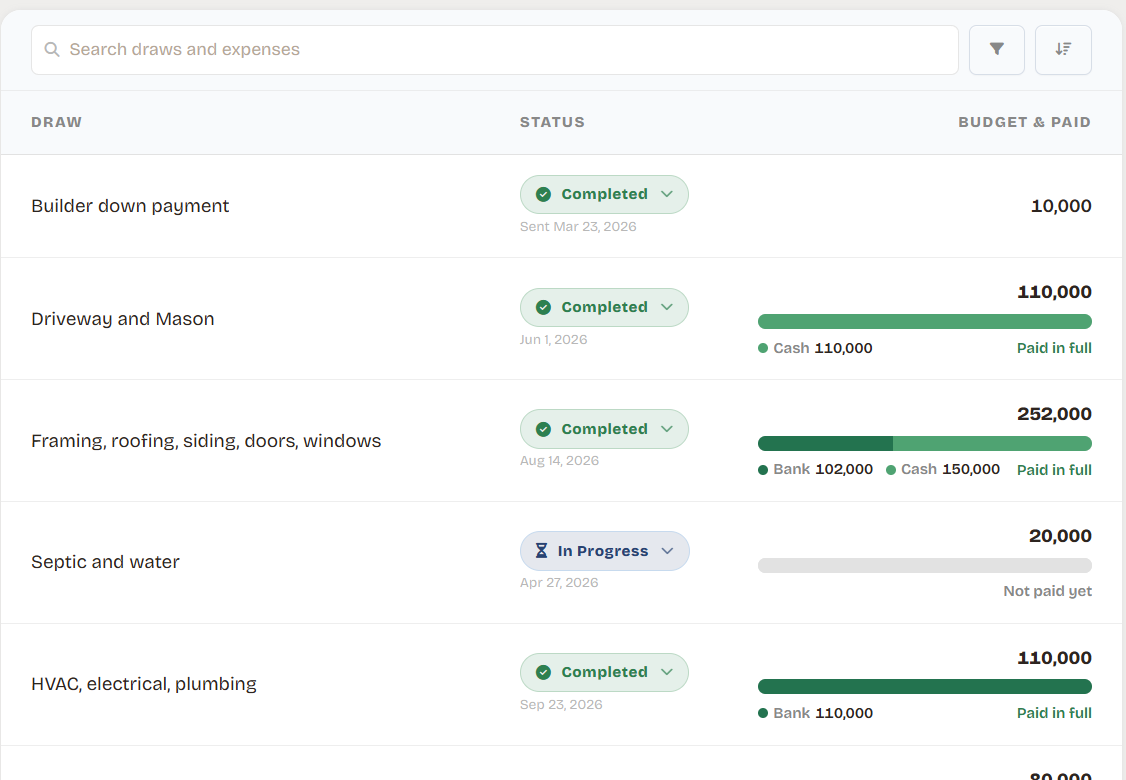
04 · Fund
Your construction loan and funding plan, in one place.
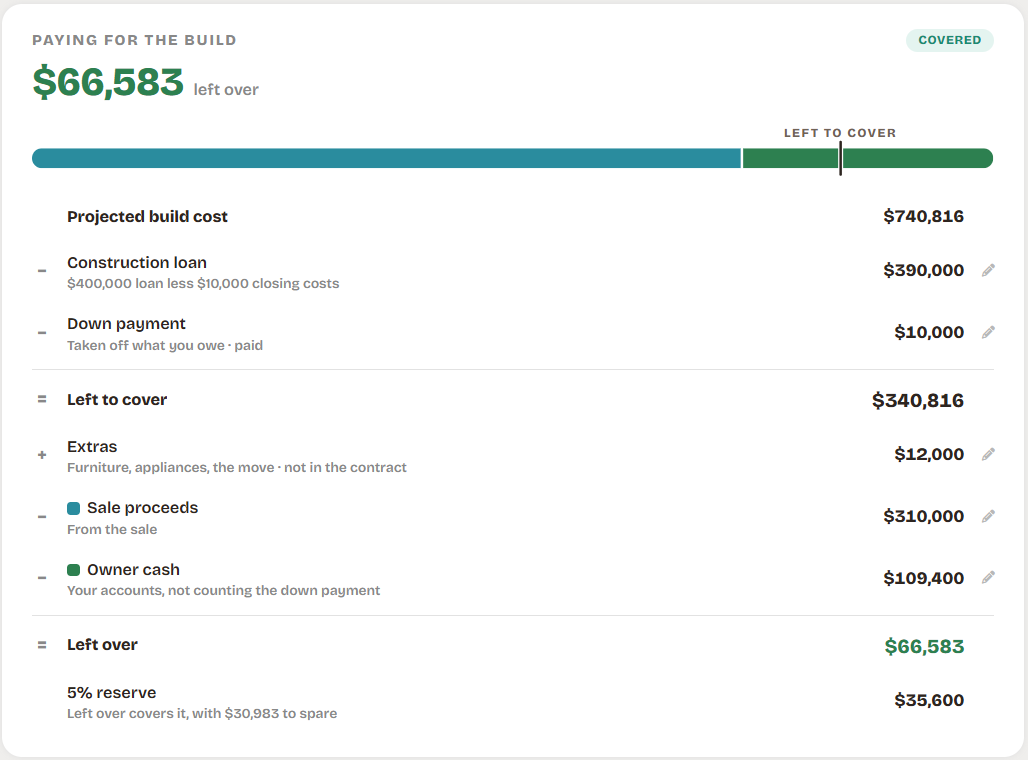
The loan, its draws and closing costs sit next to your cash, sale proceeds and equity. You see whether everything together still covers the build.
- Construction loan drawdown and draw interest
- Cash, sale proceeds and equity in one plan
- What is left over, or short, after everything
05 · Move in
A payment that still fits your life.
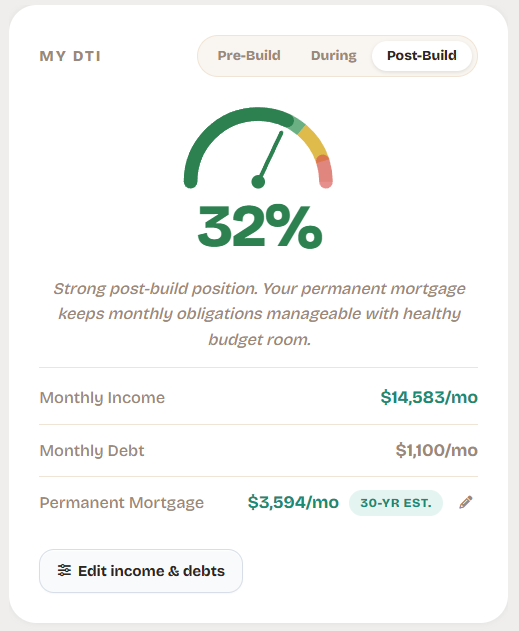
The finished mortgage and your debt-to-income ratio update every time the plan moves, so the house still works after the build is done.
- Permanent mortgage estimate from the loan you use
- DTI before, during and after the build
- Final expected cost against the original budget
Everything in one plan, built for homeowners.
Builder software runs the job site. Groundbase runs your side of the money, from the budget to the mortgage.
Home construction budget
Categories, allowances and contingency, with actual costs line by line.
Projected cost
Budget plus approved change orders and allowance overages, always current.
Selections and allowances
Finish choices tracked against each allowance, with who pays.
Change order tracking
Pending and approved changes, and what each one does to the total.
Construction draw schedule
Builder draws with the bank and cash split for each one.
Construction loan and interest
Loan drawdown, closing costs and monthly draw interest.
Funding plan
Cash, home equity and sale proceeds against the projected cost.
Mortgage and DTI
The finished payment and debt-to-income before, during and after.
Documents and photos
Contracts, quotes, receipts and selection photos, attached where they belong.
FAQ
Questions about the product
No. Groundbase is for homeowners building a new or custom home. Builder software runs schedules, crews and invoices. Groundbase tracks your side of the money: the budget, the funding and the construction loan.
About 20 minutes for a first working plan. Start with your income, debts and cash, add the budget and loan, then fill in draws and selections as the build moves.
Yes, and that is when it helps most: while you can still change the scope, the loan amount or the timing. It works from a signed contract or a rough cost per square foot.
Yes. It works the same whether you build with a custom builder or manage the trades yourself as an owner-builder.
No. You enter your numbers and Groundbase keeps them connected. Nothing links to your bank accounts, loan servicer or lender.
The web and Android. One plan includes everything: 7 days free, then $9.99 per month.
See your own build in it.
7 days free, then $9.99/month. Web and Android.
Start free